Resumen de Content Protection: Deter Casual Copying
Block right-click, drag, selection, copy keys
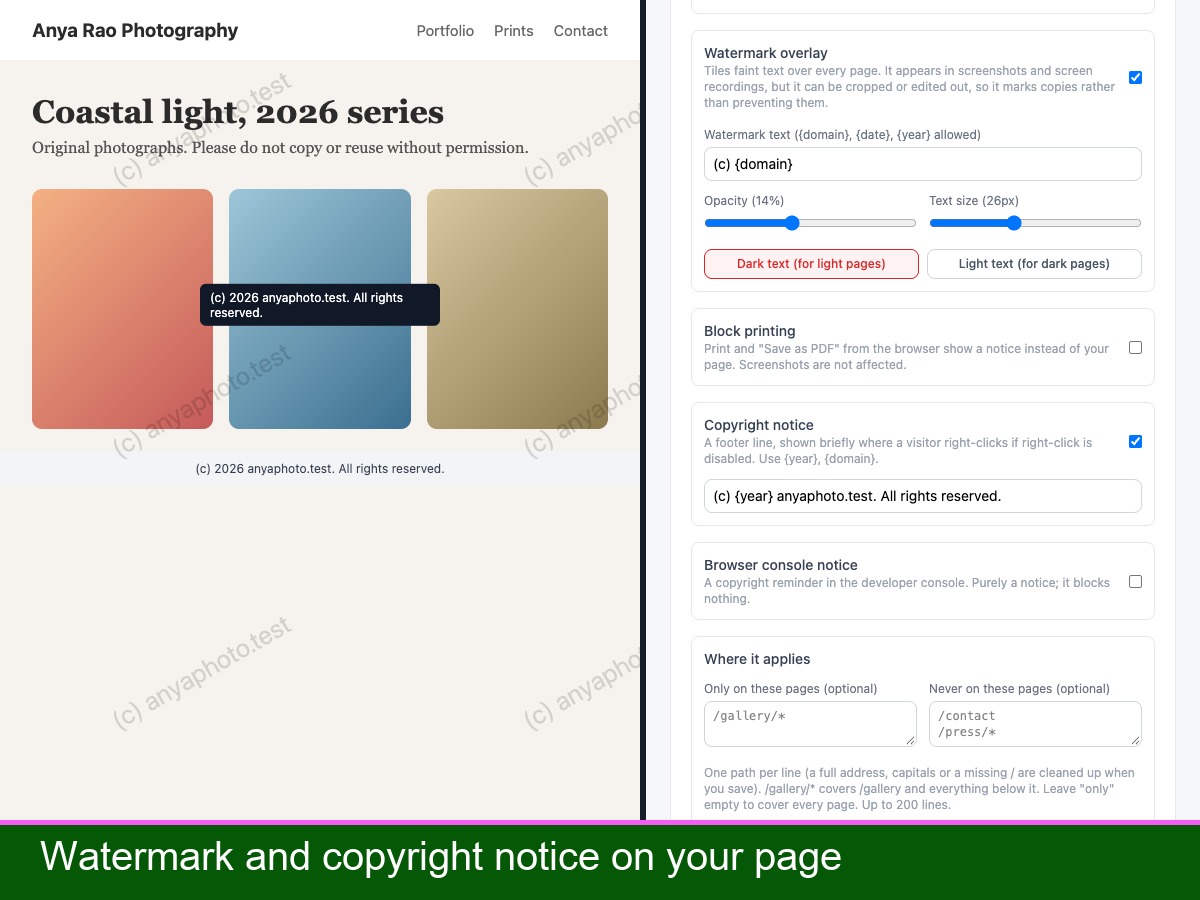
Optional watermark with your own text
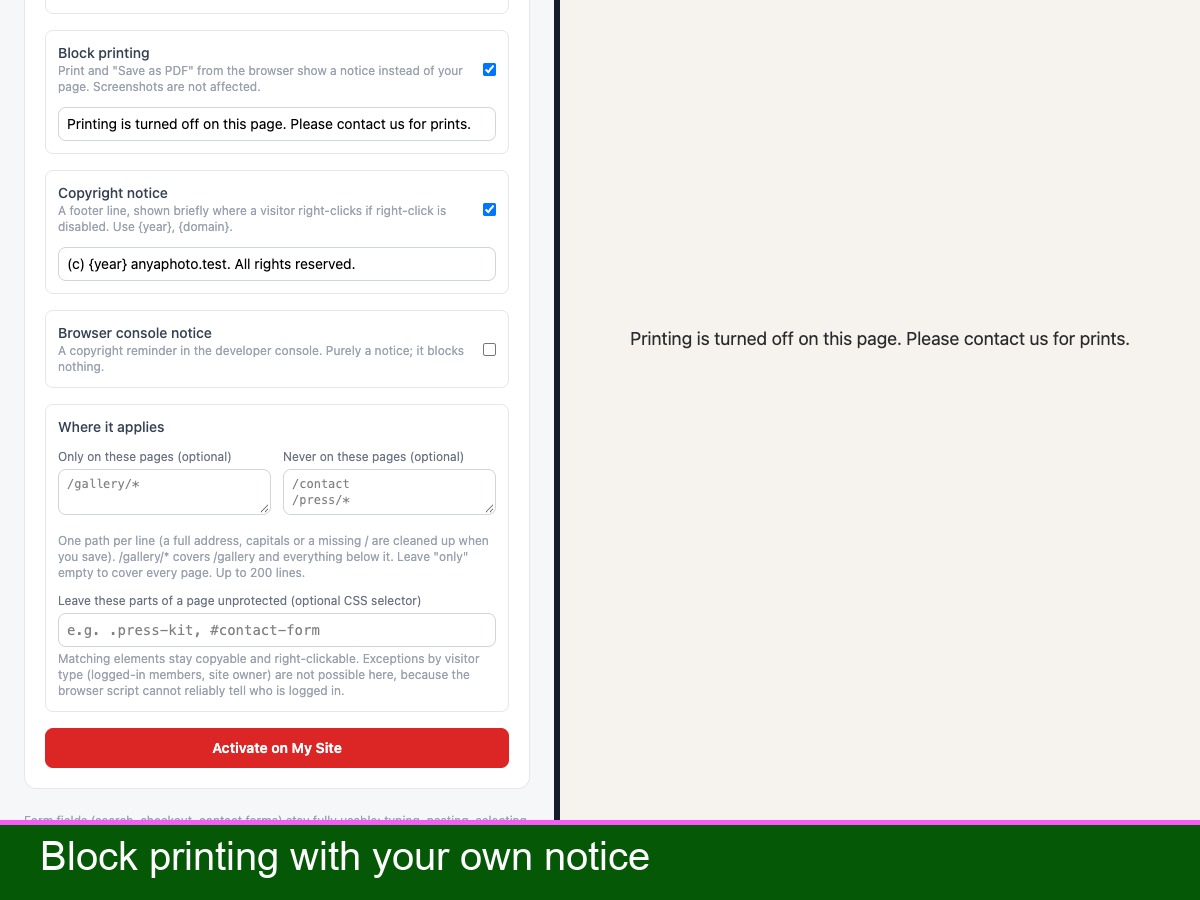
Print and save-as-PDF notice
Run on chosen pages; exclude sections
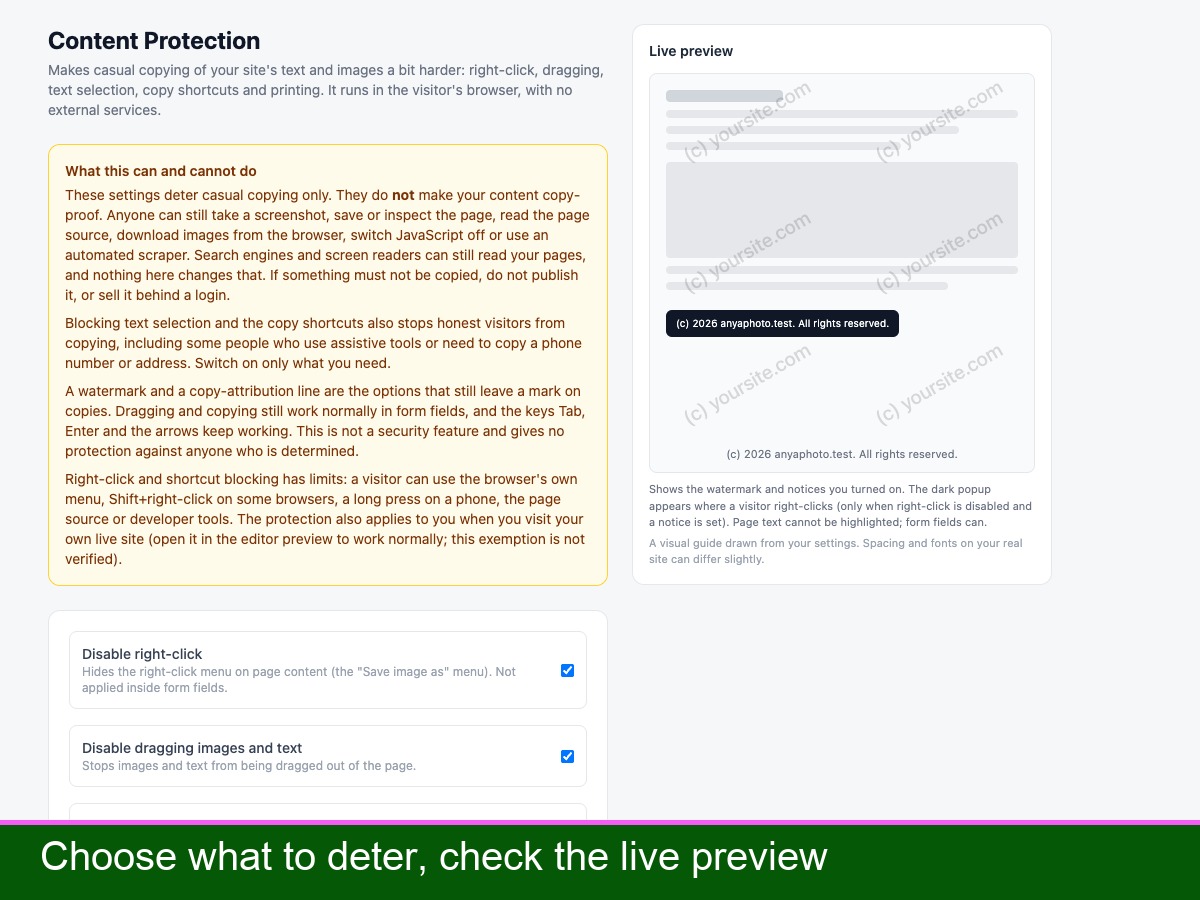
Content Protection adds simple deterrents against casual copying of your pages. Turn on what you need: disable right-click, dragging of images and text, text selection, and the copy, cut, select-all and save shortcuts. Stop the long-press save menu on images on phones. Show a copyright notice where a visitor right-clicks. Add a faint watermark with your own text, size, colour and opacity, so screenshots carry your name. Show a notice instead of your page when someone prints or saves it as PDF. Or leave copying on and add a source line to whatever visitors copy. Choose the pages it runs on, and exclude pages or parts of a page, such as a press kit. Form fields, keyboard navigation and screen readers are not blocked, and page rules follow the visitor around the site without a reload. Blocking selection and copying also stops honest visitors from copying, so switch on only what you need.
Important: this deters casual copying only. It cannot stop screenshots, saving the page, viewing the page source, downloading images from the browser or automated scrapers, and it does not hide anything from search engines. Do not rely on it for content that must stay private.